
How to Make a Trading Card Deck With One Consistent Art Style
Design a custom trading card deck that looks like one set: plan the card layout, lock a style reference, write short card briefs, and export for print.
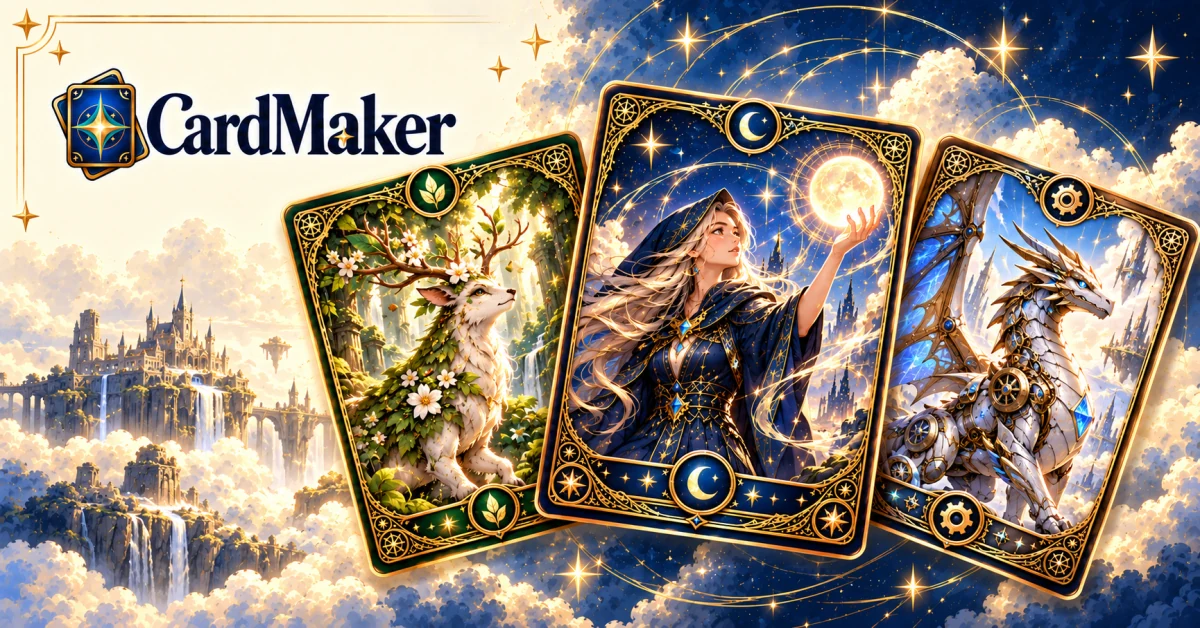
Making one good-looking custom card is easy now. Making twenty cards that look like they belong to the same set is where most projects fall apart. The frame shifts from card to card, the art style drifts, the stat boxes move around, and by card twelve your "deck" looks like a stack of unrelated images.
This guide walks through how to make your own trading card deck that reads as one collection — whether it's a fan-made expansion, a prototype for a tabletop game, a set of D&D handouts, or a gift deck of your friends as heroes. The steps work with any tool; the examples use Card Maker's Card Studio, which is built around exactly this problem.
The short version:
- Decide what the deck is for, which card type it uses, and how many cards it needs.
- Plan the card layout once: title, art window, type line, text box, stats and footer.
- Lock one finished card as the style reference for the whole set.
- Describe each new card in a short, consistent brief.
- Review all the cards side by side and regenerate only the ones that don't fit.
- Export at the right resolution and print a test sheet before a full run.
1. Decide what kind of trading card deck you're making
Before you generate anything, write down three things. They shape every card that follows.
- The purpose. A playable prototype needs readable stats above all. A collector's gift set can lean on full-art illustrations. Handouts for a role-playing session need short, scannable text.
- The card type. Monster-battle cards, duel-style monster cards, sports cards, tarot, playing cards, character profiles and item cards all have different layouts. Pick one layout for the whole deck.
- The size of the set. A 9-card sheet, a 20-card starter deck and a 60-card constructed deck need different amounts of variety. Start small — you can always add cards to a set that already has a locked style.
If you're unsure, start with a 9-card set. It fits one printed sheet, it's enough to test whether your style holds up, and it won't burn through credits.
2. Plan the card anatomy once
Consistency starts with structure, not art. Sketch (even in a text note) where each piece of information lives on the card:
- Title bar — name of the card, and optionally a cost or level.
- Art window — the illustration, usually 40–60% of the card face.
- Type line — class, element, rarity or category.
- Text box — abilities, effects or flavor text.
- Stat zone — HP, attack/defense, power, or whatever numbers your game uses.
- Footer — set name, card number, artist or edition.
The standard trading card size is 2.5 × 3.5 inches (63 × 88 mm), which fits ordinary sleeves and binder pages. Keep important text away from the edges so nothing is lost when the card is trimmed or sleeved.
Write your layout down as one sentence you can reuse in every prompt, for example: "Portrait trading card, gold frame, title bar at the top, art window in the upper half, type line, ability box, attack and defense in the bottom corners."
3. Lock a single style reference
This is the step that makes or breaks a deck. If every card is generated from scratch, every card gets its own interpretation of "fantasy style". Instead, choose one finished card as the reference and make every other card follow it.
In Card Studio this is the first two steps:
- Frame & Style Foundation. Pick a style preset (there are 14, from Pokémon-style and Yu-Gi-Oh-style to sports, tarot and playing cards) or start from a custom card. Describe the look you want, or upload your own master artwork if you already have one.
- Choose Your Style Card. Card Maker generates a few style proofs. Click the one that best matches what you imagined. That card becomes the reference — its frame, palette, line work and finish carry over to every card you add to the set.
A few tips for choosing the reference card:
- Pick the proof with the cleanest layout, not the flashiest art. Layout problems multiply across a deck; a slightly plainer illustration doesn't.
- Make sure the text zones are where you planned them in step 2.
- If none of the proofs feel right, adjust the description and generate again before adding cards. Changing the style later means regenerating everything.
4. Write each card as a short brief
With the style locked, each new card only needs to describe what is different about it. Keep every brief to the same few fields so the set stays balanced:
- Name — short and distinct.
- Subject — who or what is in the art, plus one action or pose.
- Type / rarity — so the frame details stay consistent.
- Text — one ability or effect, written in a single sentence.
- Stats — the numbers your game uses.
For example, two cards from the same fantasy set:
Emberkin Scout — a small fox spirit carrying a lantern through a rainy forest. Common, fire type. Ability: Kindle — draw one card when this enters play. HP 60, attack 20.
Ashen Warden — an armored owl knight guarding a ruined gate at dusk. Rare, fire type. Ability: Hold the Line — other fire cards take 10 less damage. HP 120, attack 40.
Notice that neither brief repeats the frame or art style — the reference card already carries that. Short, parallel briefs are also easier to proofread later.
This is Card Studio's third step, Card Blueprint & Workbench: add cards to the set one at a time, edit their names and text fields, and generate each card from the locked reference.
5. Review the whole set side by side
Never judge a deck one card at a time. Line the cards up and check:
- Frames match. Same border, corners and title bar on every card.
- Text is readable. AI-generated text can occasionally misspell a word; regenerate or edit any card where names or numbers are off.
- Balance looks right. Rare cards should feel rarer — a richer foil or a more dramatic pose, not a different frame.
- No duplicates. Two cards with near-identical poses make a set feel thin.
Card Studio's last step, Complete Deck Overview, shows every card in the set together for exactly this check. Regenerate only the cards that fail; the rest of the set stays untouched.
6. Export and print
How you export depends on what the deck is for:
- Sharing online or testing ideas: a standard 1K download is enough. Free downloads include a small watermark.
- Printing physical cards: use HD (2K) or Ultra (4K) output. Pro plans also remove the watermark and let you export the whole deck as a ZIP.
- Print shops: ask for their bleed and safe-area requirements before you send files, and order a single test sheet first. Colors on cardstock rarely match a screen exactly.
Home printing works well for prototypes:
- Lay out nine cards per US Letter or A4 sheet (three rows of three) at 2.5 × 3.5 inches each.
- Print on the heaviest matte cardstock your printer accepts; thin paper curls and shows through.
- Cut with a ruler and craft knife or a paper trimmer rather than scissors, so the edges stay straight.
- For a sturdier feel, slide each card into a sleeve in front of an ordinary playing card.
If you plan a larger run, a print-on-demand card printer will give you real card stock, rounded corners and a consistent finish — order one proof deck before the full batch.
How many credits does a deck take?
Each standard-quality card costs 5 credits, and new accounts get 10 free credits — enough to try a style and a couple of cards before deciding. HD and 4K cards cost more per card and are part of the Pro plans. As a rough plan, a 9-card set at standard quality is 45 credits, plus a few regenerations for cards you want to refine. See pricing for current packs and plans.
Frequently asked questions
What size is a trading card?
The standard size is 2.5 × 3.5 inches (63 × 88 mm), the same as most collectible card games and sports cards. Tarot cards are larger, typically around 2.75 × 4.75 inches.
How many cards should my first deck have?
Start with a 9-card set. It fits on one printed sheet and is enough to check that your style and layout hold up across different cards. Grow it into a 20- or 60-card deck once the reference card is right.
Can I make cards of my own photos or characters?
Yes. Upload a photo or reference image, or describe an original character, and the card follows your locked style. Pages like the Pet Trading Card Maker and OC Card Maker are set up for exactly that.
Can I sell the cards I make?
You can use original content you own commercially, but not other companies' characters, names or logos. Fan cards based on existing games are for personal use. If you plan to sell a game or merchandise, build it from your own characters and art direction.
Where to start
Pick the page that matches your project:
- Building a fan set or your own TCG: Trading Card Maker
- Items and NPCs for a tabletop campaign: D&D Card Maker and Spell Card Maker
- Your own characters and their backstories: OC Card Maker
- A gift deck of your pets: Pet Trading Card Maker
Or go straight to Card Studio, lock your style card, and build the first nine cards of your deck. Browse the showcase if you want to see what different presets look like before you start.