Turn everyday pet photos into little keepsakes

Pet Trading Card MakerTurn everyday pet photos into little keepsakes Name, birthday, personality & signature move

Pet trading card maker: turn a favorite photo into a keepsake card with your pet's name, birthday, personality and a playful signature move.

✦ Free credits on signup · No credit card required · Commercial rights apply to original content

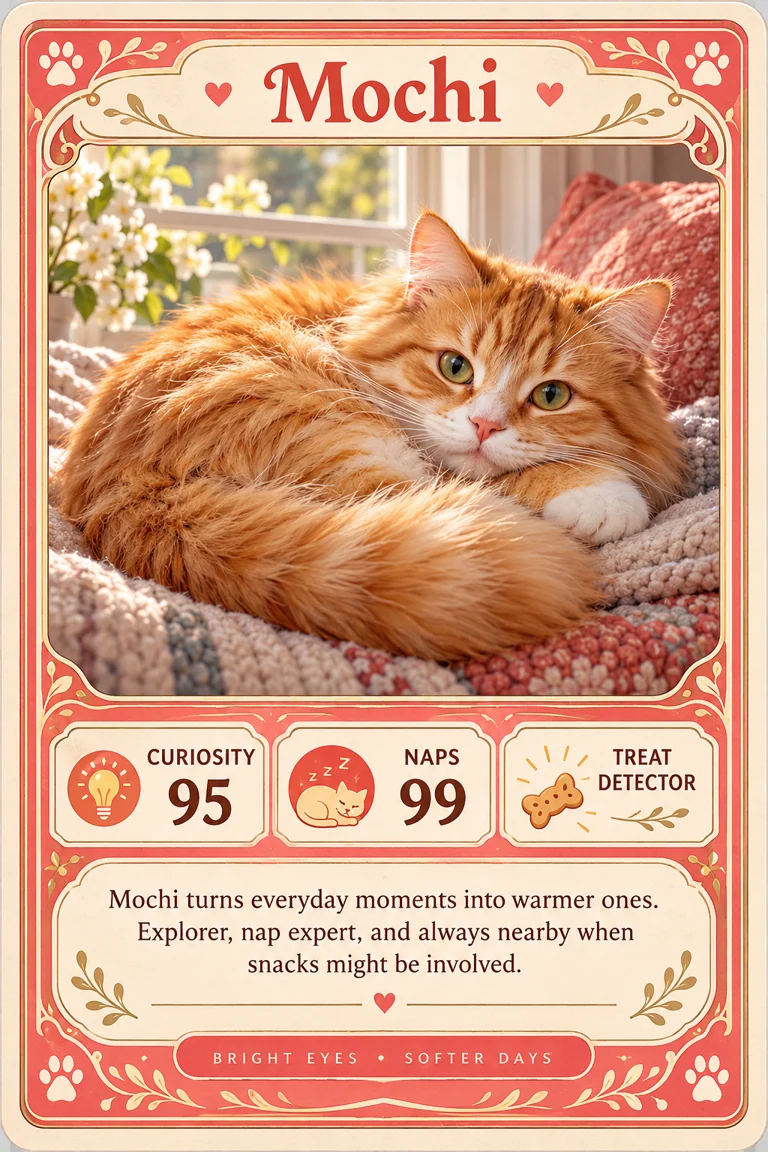
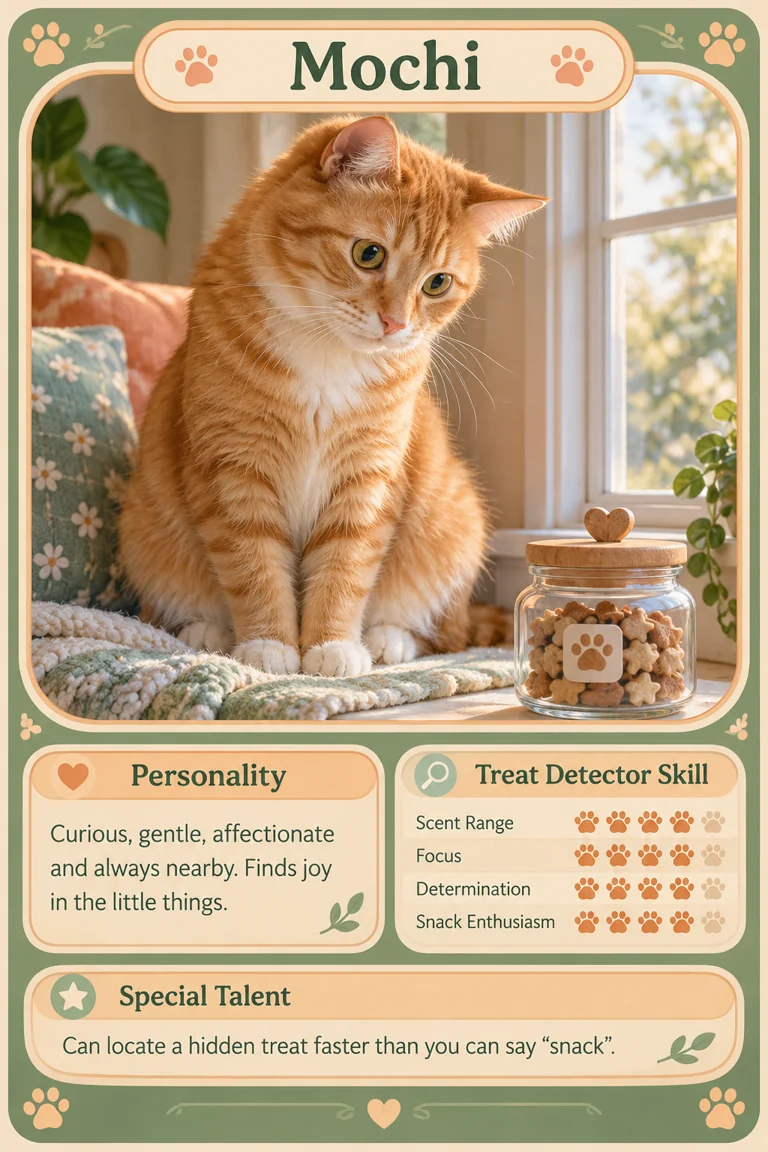
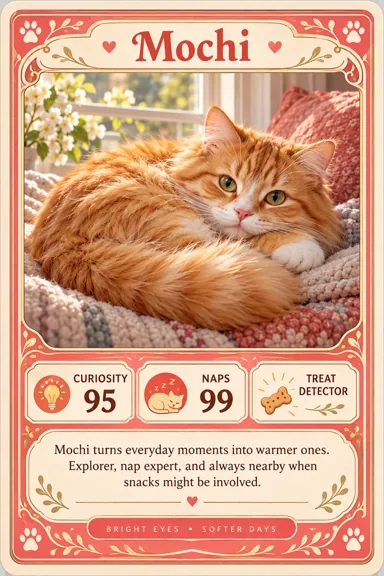
Ginger cat on a window seat, with personality and a treat detector move
Capabilities

Pet trading cards for everyday portraits, birthdays and keepsakes

Start with a photo of your cat, dog or rabbit and add the personality, milestones or memories you want on the card.

Ginger cat on a window seat, with personality and a treat detector move
➤

Mochi the curious cat

Ginger cat on a window seat, with personality and a treat detector move

  • Keep Mochi's facial markings and curious expression as the reference.
  • Add a personality trait and a playful treat-finding move for a pet collection.
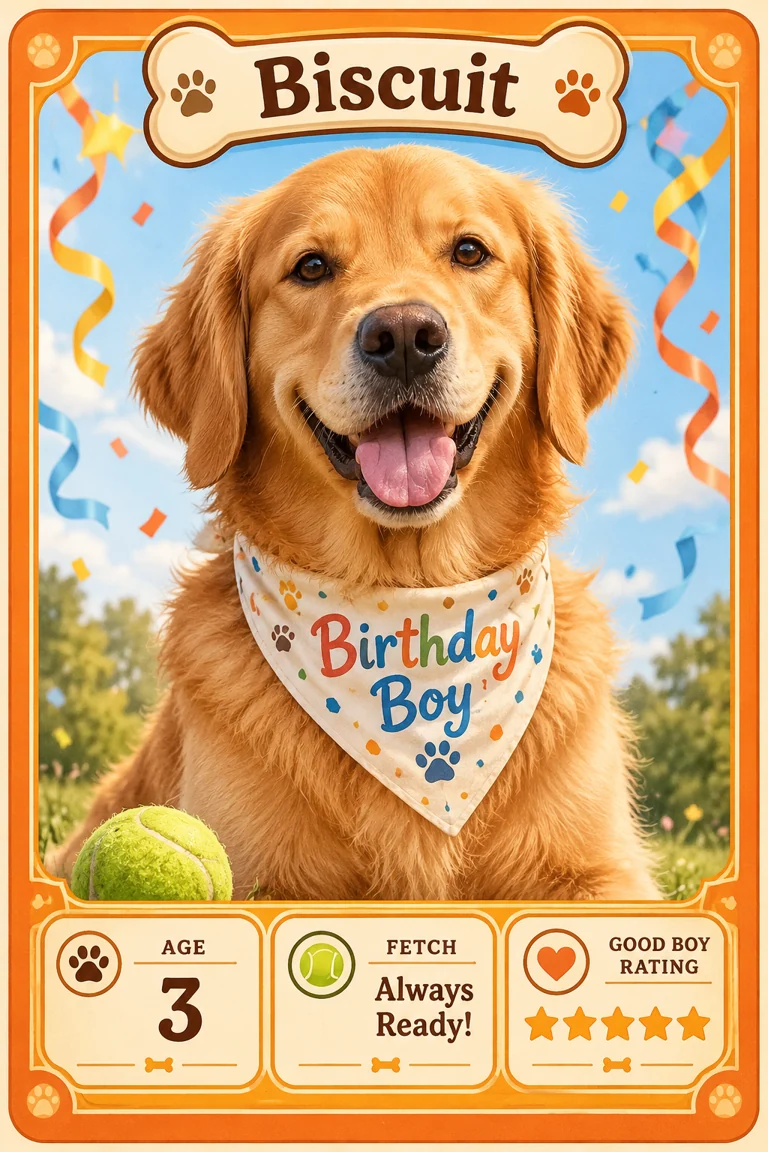
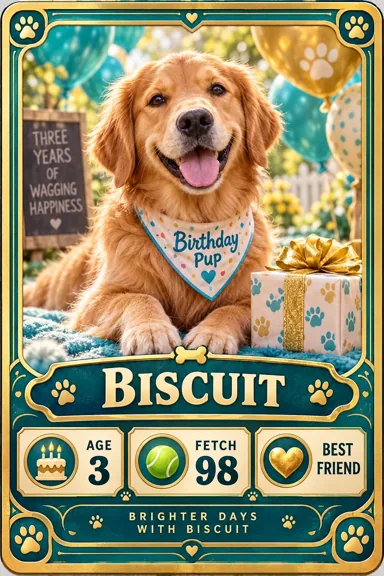
Golden retriever with a birthday bandana, age three, with playful fetch stats
➤

Biscuit turns three

Golden retriever with a birthday bandana, age three, with playful fetch stats

  • Use Biscuit's age, birthday message and favorite game as the main details.
  • Turn a familiar dog portrait into a small gift rather than filling every field with numbers.
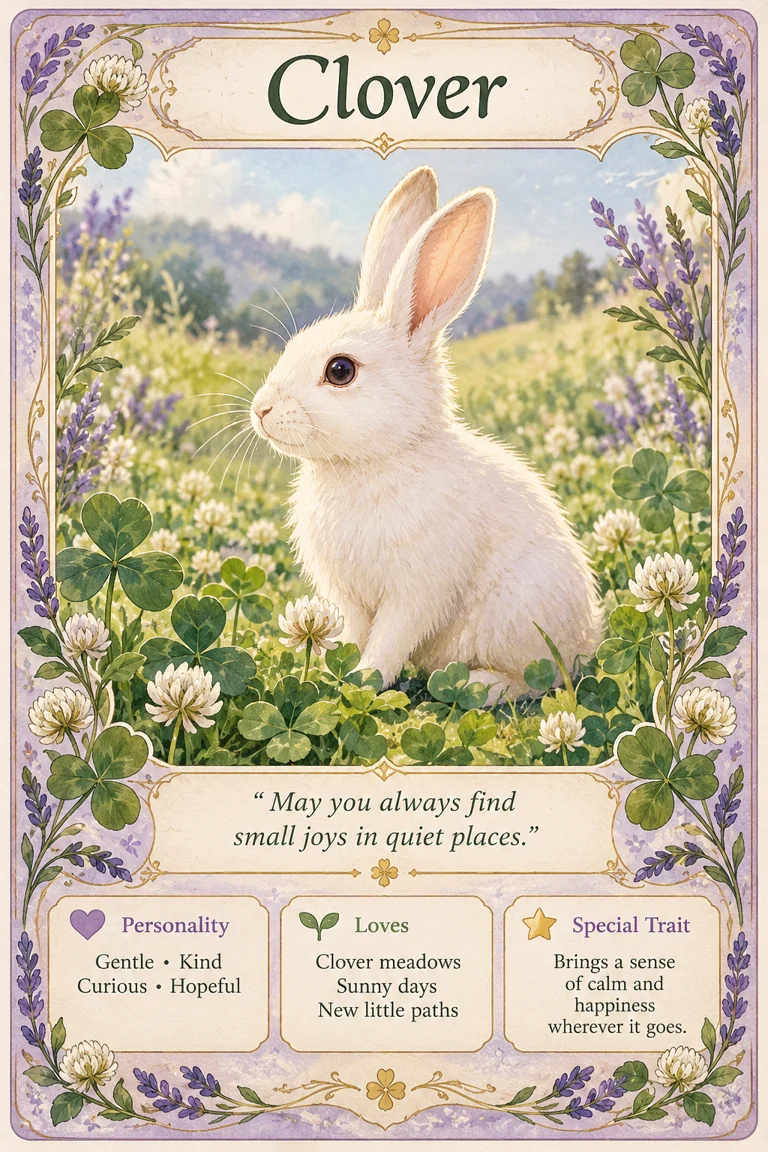
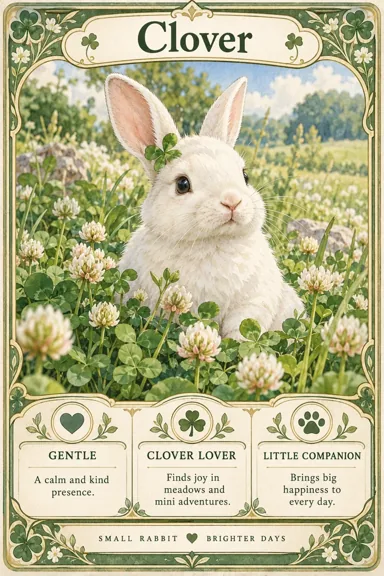
White rabbit among clover, with a gentle keepsake message
➤

Clover the little companion

White rabbit among clover, with a gentle keepsake message

  • Choose a gentle message and the memories you want to preserve.
  • Let the portrait and botanical frame carry the mood of a keepsake or memorial card.

Card Maker vs manual card design

Compare how each workflow handles artwork, card information, consistent sets and final production checks.

What to compare

Generate artwork from a prompt

Card Maker

Describe a character, item or occasion, or start with a reference image to generate a card concept.

Design editor

Supply your own artwork or create it separately before arranging the card.

What to compare

No design skills needed

Card Maker

Describe the card in plain words. There are no layers, brushes or alignment tools to learn first.

Design editor

Learn the editor's layers, alignment and typography tools, then build each card by hand.

What to compare

Card layout and information

Card Maker

Request a frame, title, attributes and effect panels in your description; review the generated placement and wording.

Design editor

Place every image and text field by hand, adjusting fonts and spacing card by card.

What to compare

A consistent collection

Card Maker

Reuse the same art direction, frame description and reference images across a card project.

Design editor

Build and maintain your own template and style guide, then apply it to every card manually.

What to compare

Revisions and variations

Card Maker

Upload a card you made and describe what to change, such as the art, colors or style, to get a new version.

Design editor

New art or a new look means sourcing artwork again and rearranging the layout yourself.

What to compare

Downloads and print preparation

Card Maker

Download the card image, then check its pixel size, small text, crop and bleed for your chosen printer.

Design editor

Set document dimensions, bleed and export options yourself for each printer's requirements.

How to make a pet trading card in 3 steps

Pick a favorite photo

Start with a clear pet portrait, then add a name, personality and the occasion for your card.

Generate and review

Check names, numbers and small text. Revise the prompt if an important detail is missing.

Save and prepare

Download the image, check readability at the intended size and prepare your own print layout if needed.

Pet Trading Card Maker · Card showcase

AI-generated examples with illustrative English text; check all wording and rules before use.

Ginger cat on a window seat, with personality and a treat detector move
Golden retriever with a birthday bandana, age three, with playful fetch stats
White rabbit among clover, with a gentle keepsake message
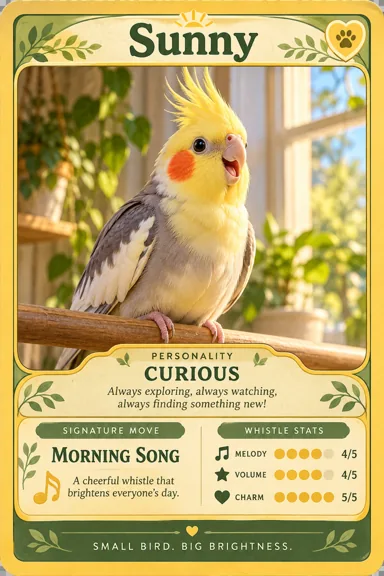
Yellow-faced cockatiel pet card with personality and a morning song

Choose Your Perfect Plan

Choose flexible credit packs or subscriptions for Card Maker image generation, editing, and commercial creative workflows.

Save 50%

Basic

Perfect for individuals and hobby creators

$19.00$9.50/ month
$228$114/year
Billed annually · Cancel anytime

Includes

  • 7200 credits per year (600 credits/mo)
  • Generate up to 1,440+ unique AI cards per year
  • 1K, 2K & 4K resolution supported
  • Master Anchor style consistency system
  • All TCG & collectible card presets included
  • Watermark-free downloads
  • High-res PNG ZIP deck export
  • Commercial use license included
  • Basic customer support

PopularSave 50%

Pro

For active card game creators and designers

$39.00$19.50/ month
$468$234/year
Billed annually · Cancel anytime

Includes

  • 18000 credits per year (1,500 credits/mo)
  • Generate up to 3,600+ unique AI cards per year
  • HD (2K) & Ultra (4K) resolution unlocked
  • Batch card generation & multi-variant forging
  • Master Anchor consistency & reference uploads
  • All TCG & collectible card presets included
  • Watermark-free downloads
  • High-res PNG ZIP deck export
  • Priority generation queue
  • Commercial use license included
  • Priority customer support
Save 50%

Max

High-volume card set production with best value

$99.00$49.50/ month
$1,188$594/year
Billed annually · Cancel anytime

Includes

  • 48000 credits per year (4,000 credits/mo)
  • Generate up to 9,600+ unique AI cards per year
  • HD (2K) & Ultra (4K) resolution unlocked
  • Highest priority generation queue
  • Unlimited card projects & history snapshots
  • Batch deck forging & direct master art upload
  • Watermark-free downloads
  • High-res PNG ZIP deck export
  • Early roll-out of new features
  • Commercial use license included
  • Dedicated priority support

Pay safely and securely with

  • Visa
  • Mastercard
  • Link
  • Apple Pay
  • Google Pay
  • American Express
  • Discover
  • JCB
  • Diners Club

What card creators say about Card Maker

Feedback from card collectors, game designers, and creative professionals.

The Pokemon card maker on Card Maker turns my pets into original creature cards with custom HP, attacks and holo finishes. It's now my favorite way to fill my binder with personal fan cards.

Alex Martinez

Alex Martinez

Pokemon-Style Fan Card Creator

We prototyped our indie game with the board game card maker on Card Maker. One consistent art style across the whole deck made our playtests look and feel like a finished game.

Sarah Chen

Sarah Chen

TCG Game Designer

Card Maker's meme card maker is perfect for funny birthday cards. I turn each customer's inside joke into a one-of-a-kind design in minutes, and the reactions are priceless.

Mike Thompson

Mike Thompson

Birthday Card Seller

With Card Maker's custom card maker I design invitations and place cards that match every couple's theme and colors. My clients love choosing from several beautiful options.

Jessica Park

Jessica Park

Wedding Planner

Pet Trading Card Maker FAQ

1

Which pet photo works best?

Choose a sharp photo with the face visible and a simple background. Add the name and one distinctive habit. Use a short personal message for birthdays or memorial cards.

2

Can I make a birthday or memorial pet card?

Yes. A birthday card can feature age, a favorite toy and a personal wish. For a memorial, choose a gentle portrait and a short memory; dates and private details are optional.

3

How do I keep the card recognizable as my pet?

Use a clear photo and describe distinctive markings, eye color and expression. Pick one characteristic habit for the card text and inspect the generated portrait before sharing or printing it.

4

How do credits and pricing work?

Generation costs depend on the selected model and output settings. Check the displayed credit cost before starting; current packs and subscriptions are listed on the pricing page.

5

Can I use my own photos or drawings?

Yes. Use image input for a photo, sketch or reference you have permission to use. Explain which features, colors or framing should remain, and review the result for unwanted changes.

6

How do I get readable text in the right language?

Specify the language and exact short wording in your description. Check names, numbers and symbols after generation. For precise corrections, edit the downloaded image in a design tool.

7

Can I make a matching set?

Keep a reusable brief for the frame, palette, typography and finish. Use the same references and change only the subject or card details. Review the cards together before exporting a set.

8

Can I print the downloaded cards?

Check pixel dimensions, aspect ratio and text at the intended physical size. Add bleed and arrange a print sheet in a layout tool if your printer requires them; a preview image alone does not guarantee print readiness.

✦ More Card Creators

Explore More AI Card Makers

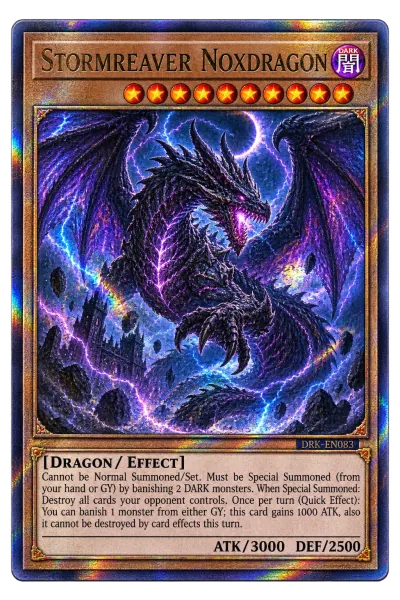
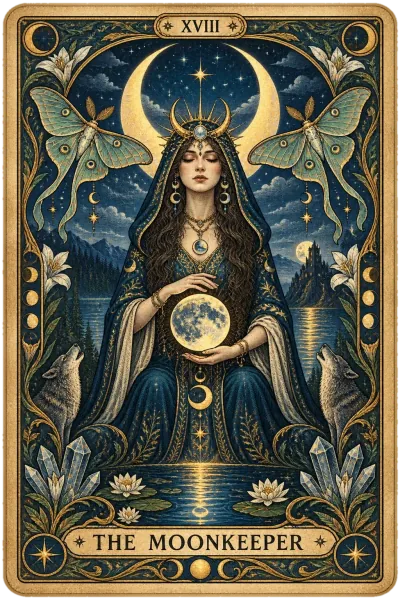
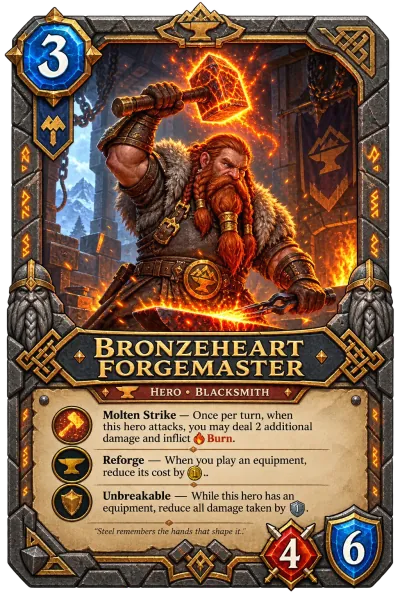
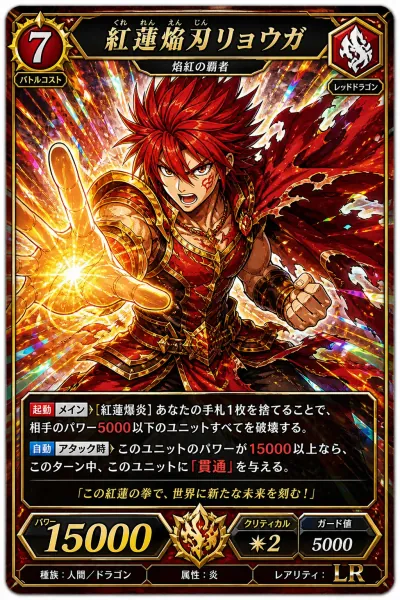
Generate custom trading cards, sports collectibles, mystical tarot decks, and game cards with guaranteed style consistency.

Turn everyday pet photos into little keepsakes

Pet trading card maker: turn a favorite photo into a keepsake card with your pet's name, birthday, personality and a playful signature move.